> ## Documentation Index
> Fetch the complete documentation index at: https://docs.fiducia.gg/llms.txt
> Use this file to discover all available pages before exploring further.
# Moderation
> Our Moderation features use AI to detect, filter, and manage unwanted content in your community, keeping it high quality and spam-free.
## **Overview**
The moderation overview provides at-a-glance monitoring of community violations, ensuring administrator awareness of community activity.
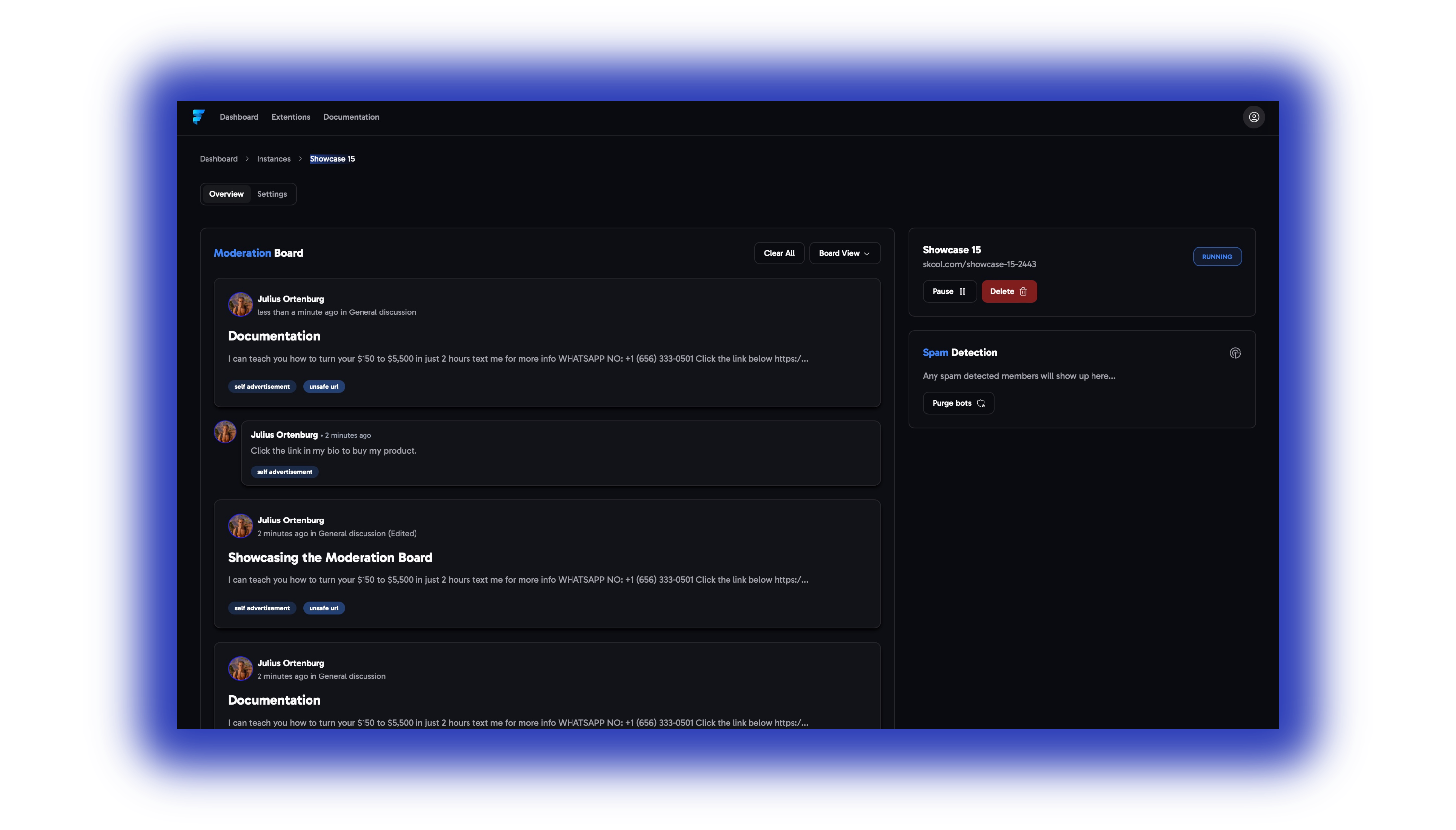 To start off head to the **Overview** tab. If you cannot see the tab you might still be on your instance overview. To resolve this take a look at the [Quick Start](/introduction#check-the-setup).
### **Moderation Board**
The moderation board is where all the **violations** of your community **rules** will be listed.
It’s comparable with Skool’s `Reported` tab, but has some additional options.
> Each violation gets tagged with the rule it has disobeyed and if you hover over the rule you can see the confidence by which it was flagged.
To start off head to the **Overview** tab. If you cannot see the tab you might still be on your instance overview. To resolve this take a look at the [Quick Start](/introduction#check-the-setup).
### **Moderation Board**
The moderation board is where all the **violations** of your community **rules** will be listed.
It’s comparable with Skool’s `Reported` tab, but has some additional options.
> Each violation gets tagged with the rule it has disobeyed and if you hover over the rule you can see the confidence by which it was flagged.
 > If you click on the violation and head over to the three dots, you get 3 options...
 **1. Action:** Here you can ban/kick the User and delete his previous posts/comments within one click.
Side-note: Posts/comments will be completely removed and will not be shown as ‘’deleted’’ in the community.
**2. Feedback:** You can up- downvote each violation, this feedback helps us understand your preferences better.
*Side-note: For our enterprise users we also train a custom AI model tailored to their specific community needs.*
**3. Reviewed:** If you want to keep your moderation board clean you can make the violations you’ve reviewed disappear, by clicking this option.
**1. Action:** Here you can ban/kick the User and delete his previous posts/comments within one click.
Side-note: Posts/comments will be completely removed and will not be shown as ‘’deleted’’ in the community.
**2. Feedback:** You can up- downvote each violation, this feedback helps us understand your preferences better.
*Side-note: For our enterprise users we also train a custom AI model tailored to their specific community needs.*
**3. Reviewed:** If you want to keep your moderation board clean you can make the violations you’ve reviewed disappear, by clicking this option.
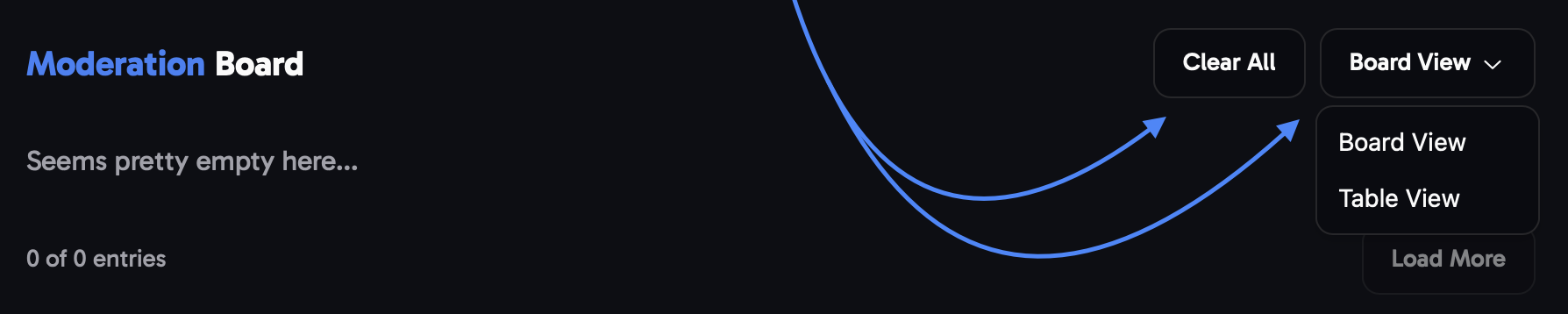
 1. *At the top of the moderation board you have the option to clear out the entire board using the '**'Clear All'' button** and have the previous violations **removed** out of the moderation board with one click.*
2. *Right next to the clear all button, you can distinguish between using the **board-** or **table view.***
1. *At the top of the moderation board you have the option to clear out the entire board using the '**'Clear All'' button** and have the previous violations **removed** out of the moderation board with one click.*
2. *Right next to the clear all button, you can distinguish between using the **board-** or **table view.***
 ***
### **Instance Status**
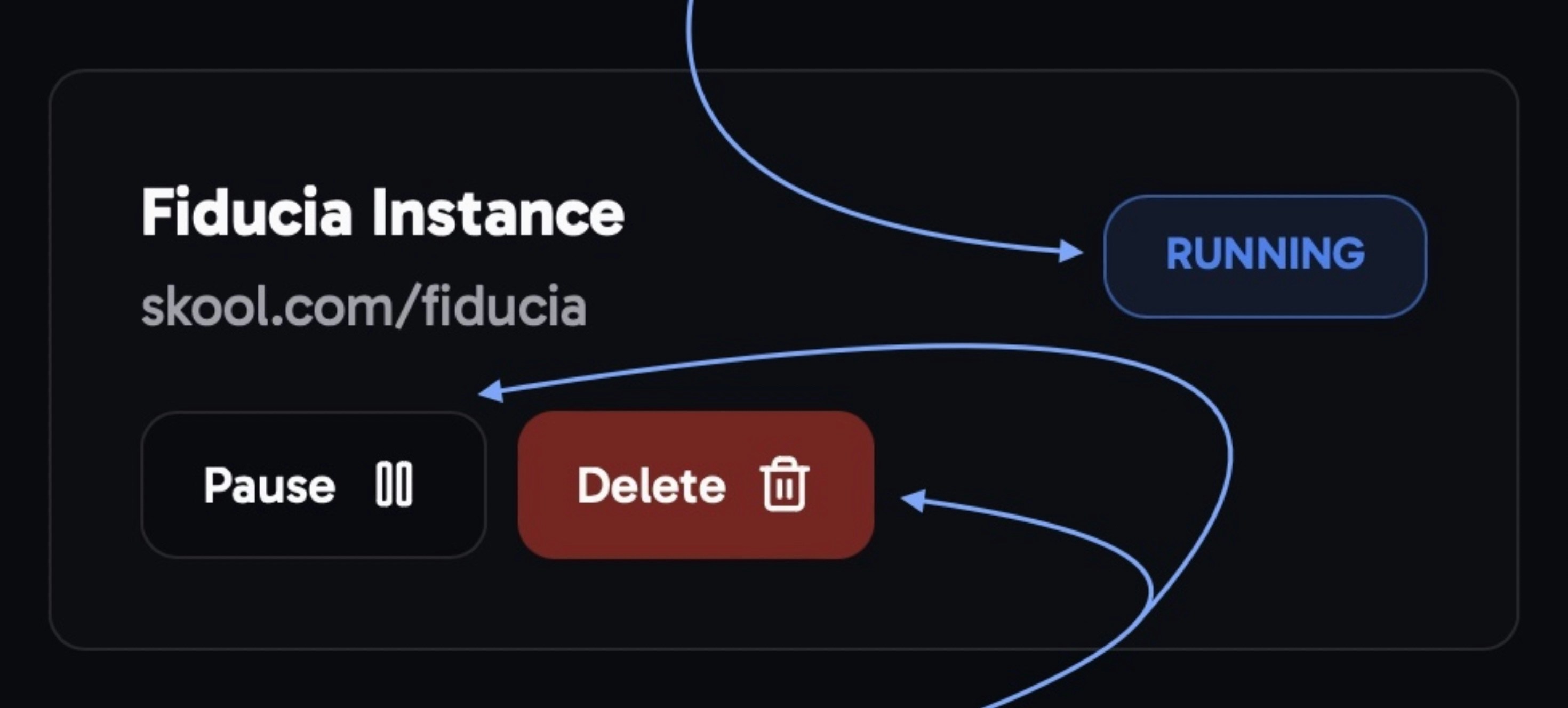
In the top right, you can check if the status of the tool in your community. You always have the option to **stop** or **delete** your instance from there.
***
### **Instance Status**
In the top right, you can check if the status of the tool in your community. You always have the option to **stop** or **delete** your instance from there.
 ***
### **Spam Detection**
1. Spam detected **members:** *All Spam* *detected members in your community will show up here*
***
### **Spam Detection**
1. Spam detected **members:** *All Spam* *detected members in your community will show up here* 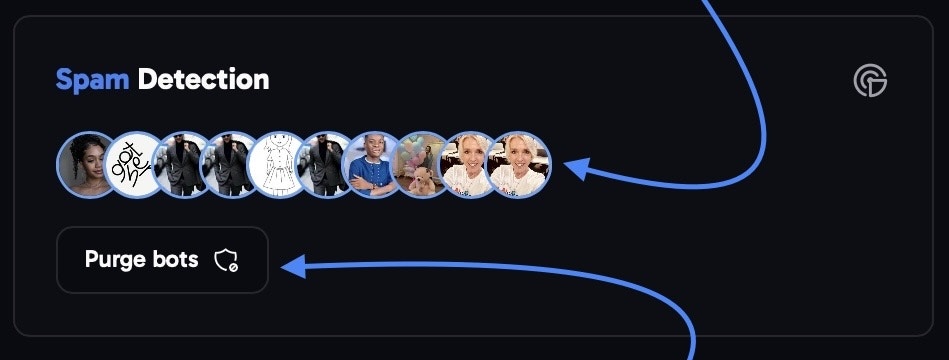 2. Purge bots button: The ‘’Purge Bots’’button will automatically kick any accounts which are known to bot accounts. For example Jessica Mark, Linda Mark, etc.
***
## Settings
###
2. Purge bots button: The ‘’Purge Bots’’button will automatically kick any accounts which are known to bot accounts. For example Jessica Mark, Linda Mark, etc.
***
## Settings
###  Classifier Settings
The Classifiers are our pre-installed default community rules. How to properly use and customize these will be described in the following.
1. **self advertisement:** *Detects self-advertisement in your community and people promoting their own services/products.*
2. **low quality:** *Tags posts which do not contribute any value or benefit to the community.*
3. **community negativity:** *Tags posts and comments that contain negative sentiment towards your community or it's owner.*
4. **unsafe url:** *This classifier detects unsafe URLs in posts and comments.*
5. **miscategorized:** *Detects posts, which do not belong to the category they are posted in. (experimental)*
Classifier Settings
The Classifiers are our pre-installed default community rules. How to properly use and customize these will be described in the following.
1. **self advertisement:** *Detects self-advertisement in your community and people promoting their own services/products.*
2. **low quality:** *Tags posts which do not contribute any value or benefit to the community.*
3. **community negativity:** *Tags posts and comments that contain negative sentiment towards your community or it's owner.*
4. **unsafe url:** *This classifier detects unsafe URLs in posts and comments.*
5. **miscategorized:** *Detects posts, which do not belong to the category they are posted in. (experimental)* → *To customize a classifier, you first need to click on it.*
**General tab:**
> *After clicking on the classifier you want to customize, using the **threshold** you can determine how strict the AI is with the individual rule.*
→ *To customize a classifier, you first need to click on it.*
**General tab:**
> *After clicking on the classifier you want to customize, using the **threshold** you can determine how strict the AI is with the individual rule.*
 **Action tab:**
1\. *At the top you can determine if violations of this rule get either **‘Deleted’** or **‘Reported’** automatically.*
**Action tab:**
1\. *At the top you can determine if violations of this rule get either **‘Deleted’** or **‘Reported’** automatically.*
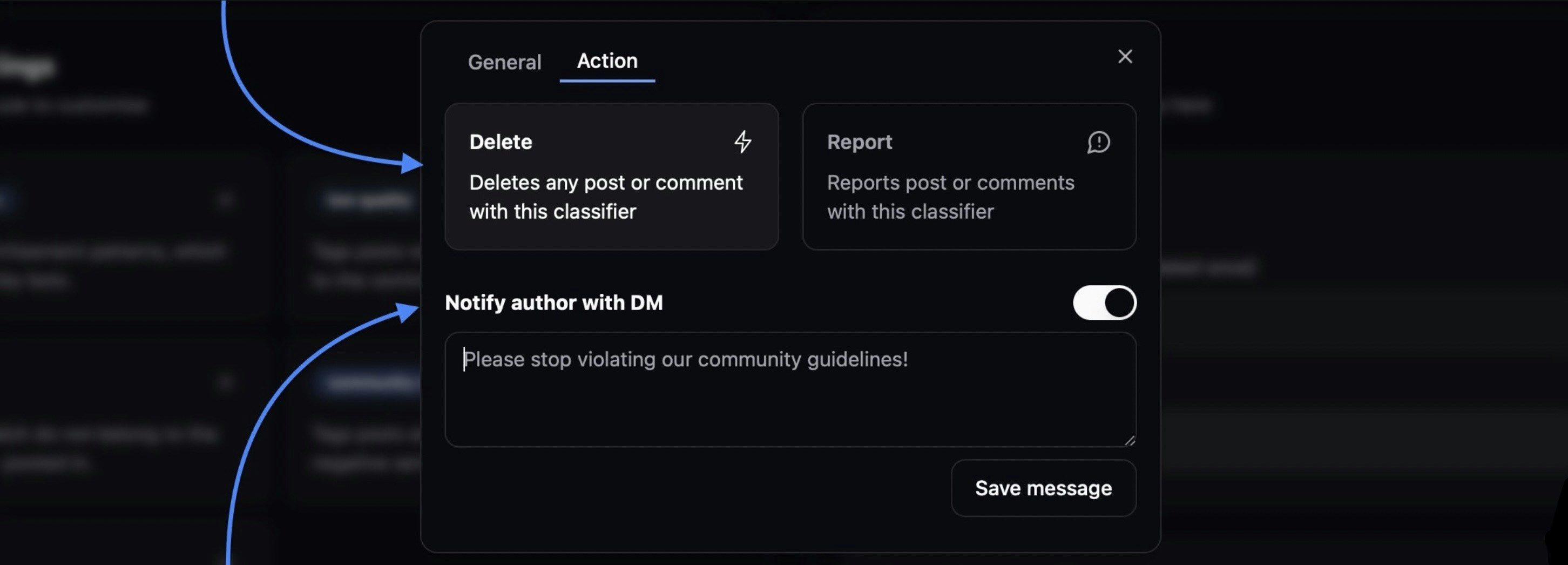 2\. *At the bottom you can compose a **autoDM**, which gets send to **authors of violations** automatically.*
> Additionally you can add your own **custom rules** by click on the ‘’**+ Add**’’ button.
2\. *At the bottom you can compose a **autoDM**, which gets send to **authors of violations** automatically.*
> Additionally you can add your own **custom rules** by click on the ‘’**+ Add**’’ button.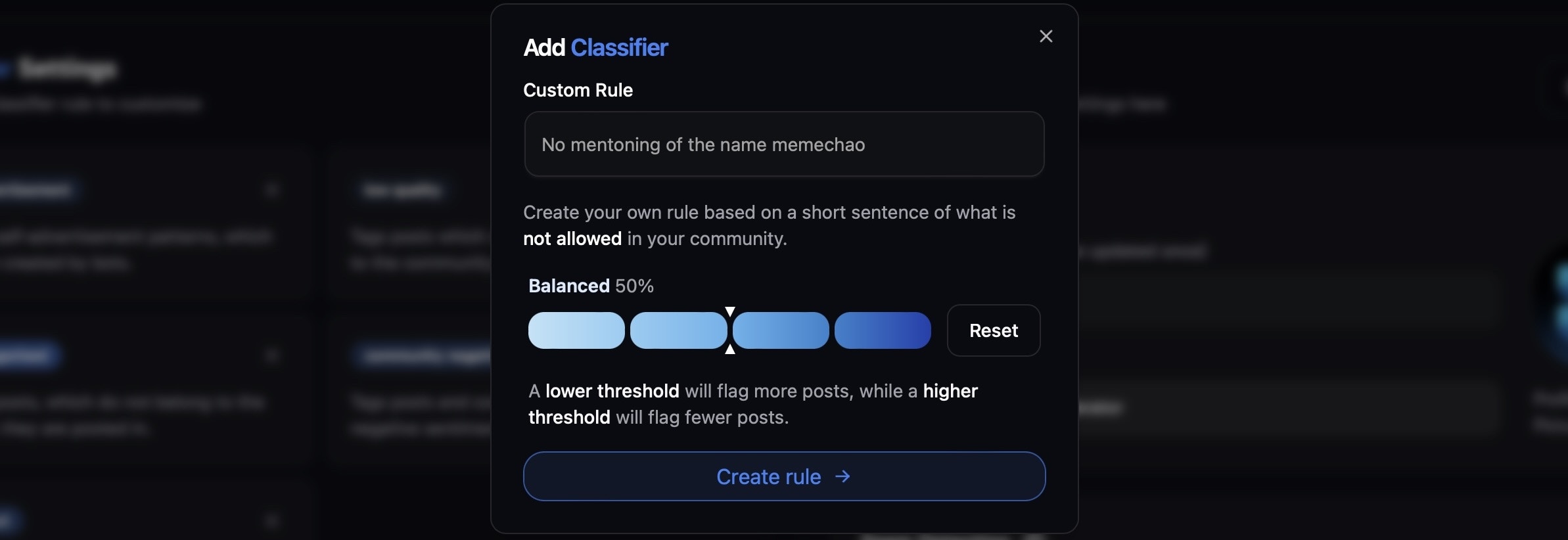 *This is especially useful if you have very unique community guidelines which aren't incorporated in our default classifier rules.*
### Instance Settings
The Instance Settings include additional features that allow you to give the tool your own branded look and completely prevent individuals from exploiting your community with spam attacks.
> you can change the **Appearance** of the Fiducia profile, which joins your community, giving it your own branding:
*This is especially useful if you have very unique community guidelines which aren't incorporated in our default classifier rules.*
### Instance Settings
The Instance Settings include additional features that allow you to give the tool your own branded look and completely prevent individuals from exploiting your community with spam attacks.
> you can change the **Appearance** of the Fiducia profile, which joins your community, giving it your own branding: 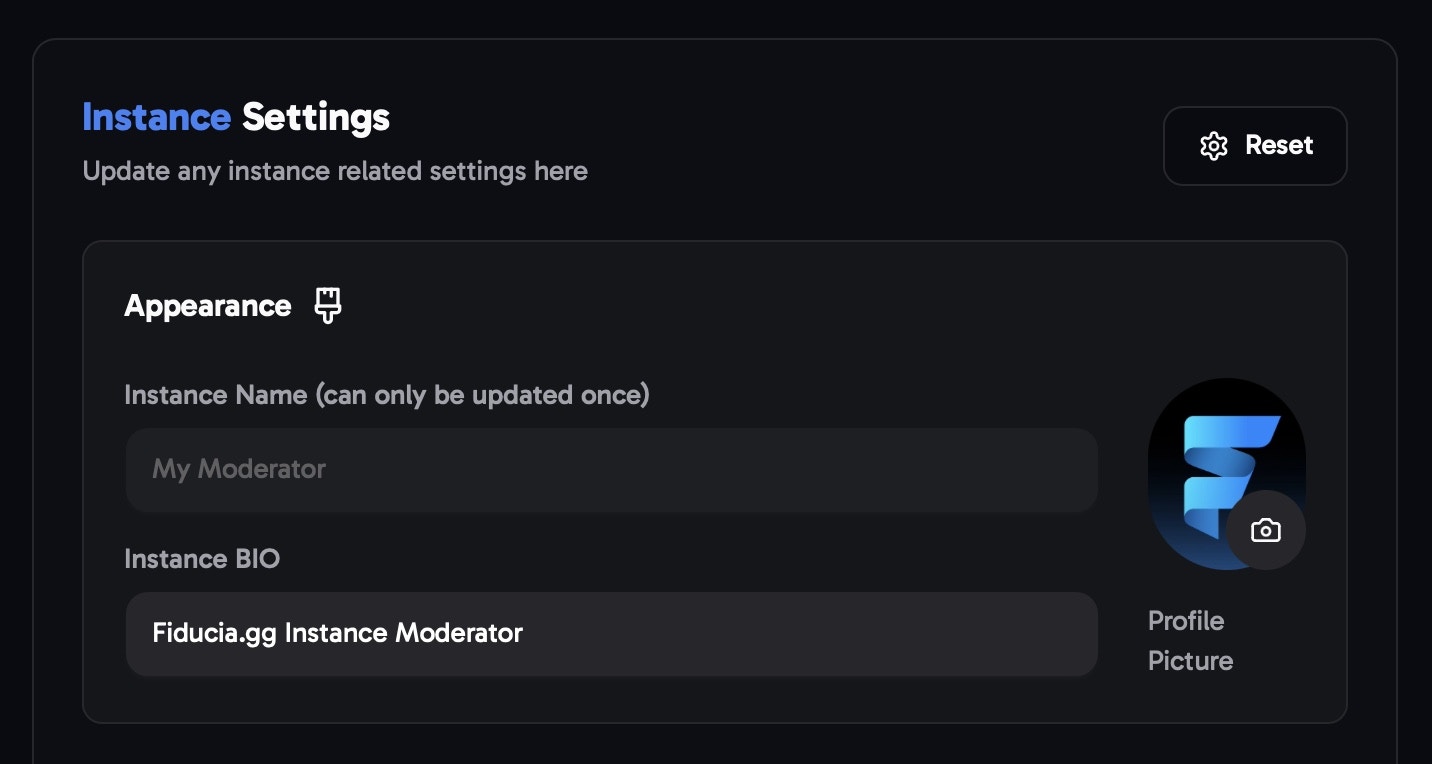 > *1. you can determine how many **post/comments** are allowed to be posted in a certain time frame, using the **Timeframe slider** and the **Max posts/comments** boxes.*
  *2. Additionally you can turn on that **excessive posts/comments** get deleted automatically.*